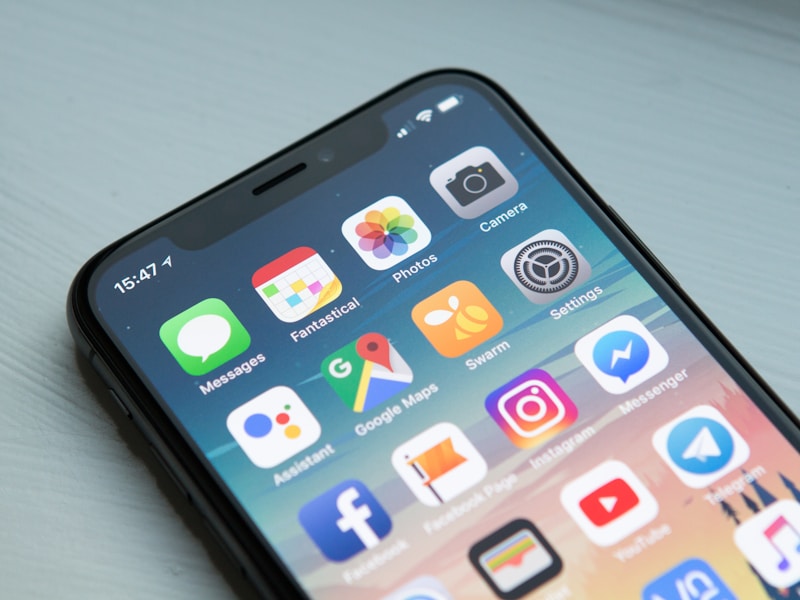
Can you make a phone call without a SIM card?
Yes.
If your device has an internet connection, you can use Voice over Internet Protocol — better known as VoIP — to make calls without relying on a traditional SIM for the voice connection.
That internet connection could come from:
- Wi-Fi
- Hotel Wi-Fi
- Home broadband
- Public Wi-Fi
- Ethernet
- A hotspot
- Another internet connection
You can therefore potentially make calls using a smartphone with no SIM, a tablet or even a laptop.
Here are seven options to consider in 2026.
1. KitaPhone
Best for: Calling actual phone numbers from a browser
KitaPhone is particularly useful if you want to call an ordinary mobile or landline rather than another app user.
Instead of relying on a SIM card for the call, KitaPhone routes the call over the internet from your browser.
That means you can potentially use:
- A laptop
- Desktop computer
- Tablet
- Smartphone
provided you have a supported browser, microphone and internet connection.
The person you're calling does not need KitaPhone installed on their phone.
This distinction is important.
Most "call without a SIM" applications are actually messaging apps where both people need an account. Browser-to-phone VoIP allows you to dial a traditional telephone number instead.
2. WhatsApp
Best for: Calling friends and family
WhatsApp calls work over the internet.
Once your account is set up, voice and video communication uses Wi-Fi or mobile data rather than traditional voice minutes.
That makes WhatsApp useful on a device connected to Wi-Fi.
Advantages
- Free app-to-app calling
- Voice and video
- Extremely widely used
Limitation
The person you're calling generally needs WhatsApp too.
3. FaceTime
Best for: Apple devices
FaceTime allows Apple users to make high-quality internet voice and video calls.
A Wi-Fi-connected iPad, iPhone or Mac can therefore communicate without relying on a conventional cellular voice call.
Advantages
- Excellent Apple integration
- Audio and video calls
- Easy to use
Limitation
Best suited to communication within the Apple ecosystem.
4. Telegram
Best for: Privacy-focused messaging and calls
Telegram supports internet-based voice and video calling alongside its messaging functionality.
Like WhatsApp, calls are transmitted using your internet connection rather than your normal cellular voice service.
This makes it another option when your device has Wi-Fi but no active SIM for voice calls.
5. Signal
Best for: Private conversations
Signal provides encrypted messaging alongside internet-based voice and video calling.
For people who prioritize privacy, it remains one of the most prominent communication applications.
Once configured, calls can operate through an internet connection.
Best for private app-to-app communication.
6. Google Voice
Best for: US users wanting a virtual phone number
Google Voice is different from ordinary messaging apps because it can provide a virtual telephone number.
Calls can then be managed through compatible devices and browsers.
This makes it particularly useful for US-based users who want to separate their primary mobile number from their internet calling number.
Availability remains a major limitation for consumers outside the United States.
7. Microsoft Teams
Best for: Work and school communication
Microsoft Teams lets users make voice and video calls through the internet.
You don't need a SIM-based cellular call to communicate with another Teams user.
Teams is particularly useful for:
- Remote work
- Team meetings
- School communication
- Video calls
- Group calls
Microsoft also offers Teams Phone products for businesses that need integration with traditional telephone services.
Can a Phone Work Without a SIM Card?
Yes.
A smartphone without a SIM is essentially still a small Wi-Fi-connected computer.
Features such as the following can continue working over Wi-Fi:
- Web browsing
- Streaming
- Messaging apps
- Video calls
- VoIP calls
What you normally lose without cellular service is direct access to your mobile carrier's standard calls, SMS and mobile-data network.
VoIP provides an alternative route for voice communication.
Can You Call a Real Mobile Number Without a SIM?
Yes, but you need the right service.
This is the difference between app-to-app calling and internet-to-phone calling.
Imagine you want to call +44 7700 900000.
With WhatsApp, the owner would typically need WhatsApp.
With FaceTime, they need compatible access to FaceTime.
With browser-to-phone VoIP, the call can instead be routed into the traditional telephone network.
The recipient simply receives a phone call.
Services such as KitaPhone are designed around this use case.
Do You Need Wi-Fi?
You need some form of internet access.
A SIM card isn't what makes VoIP work — connectivity does.
For example:
- No SIM + Wi-Fi = VoIP calls can work.
- No SIM + no internet = internet calls cannot work.
Why Make Calls Without a SIM?
There are plenty of legitimate situations where SIM-free calling is useful.
Traveling internationally
Hotel or airport Wi-Fi can allow you to communicate without placing an expensive roaming call.
Using a tablet
Many tablets don't contain SIM cards at all but work perfectly well with VoIP applications.
Using a laptop
A computer with a microphone and speakers can become an internet telephone.
Keeping personal and online communication separate
Virtual calling services can reduce reliance on your primary mobile line for certain types of communication.
Calling internationally
Internet calling services can sometimes be considerably cheaper than traditional carrier international rates.
What's the Best Calling App Without a SIM?
It depends on who you need to call.
| Need | Recommended option |
|---|---|
| Call real international phone numbers | KitaPhone |
| Friends and family | |
| Apple devices | FaceTime |
| Messaging + calls | Telegram |
| Privacy | Signal |
| US virtual number | Google Voice |
| Workplace calls | Microsoft Teams |
Final Thoughts
A SIM card is no longer a requirement for every voice call.
In 2026, almost any device connected to the internet can potentially become a communication device.
If both people use the same app, solutions such as WhatsApp, Signal and FaceTime are simple options.
If you need to call an actual mobile or landline number without a SIM, look for an internet-to-phone VoIP service rather than a normal messaging application.
That's the important difference.